Chapter 1
Course Review: Mastering 'Claude Code in Action' by Stephen Grider
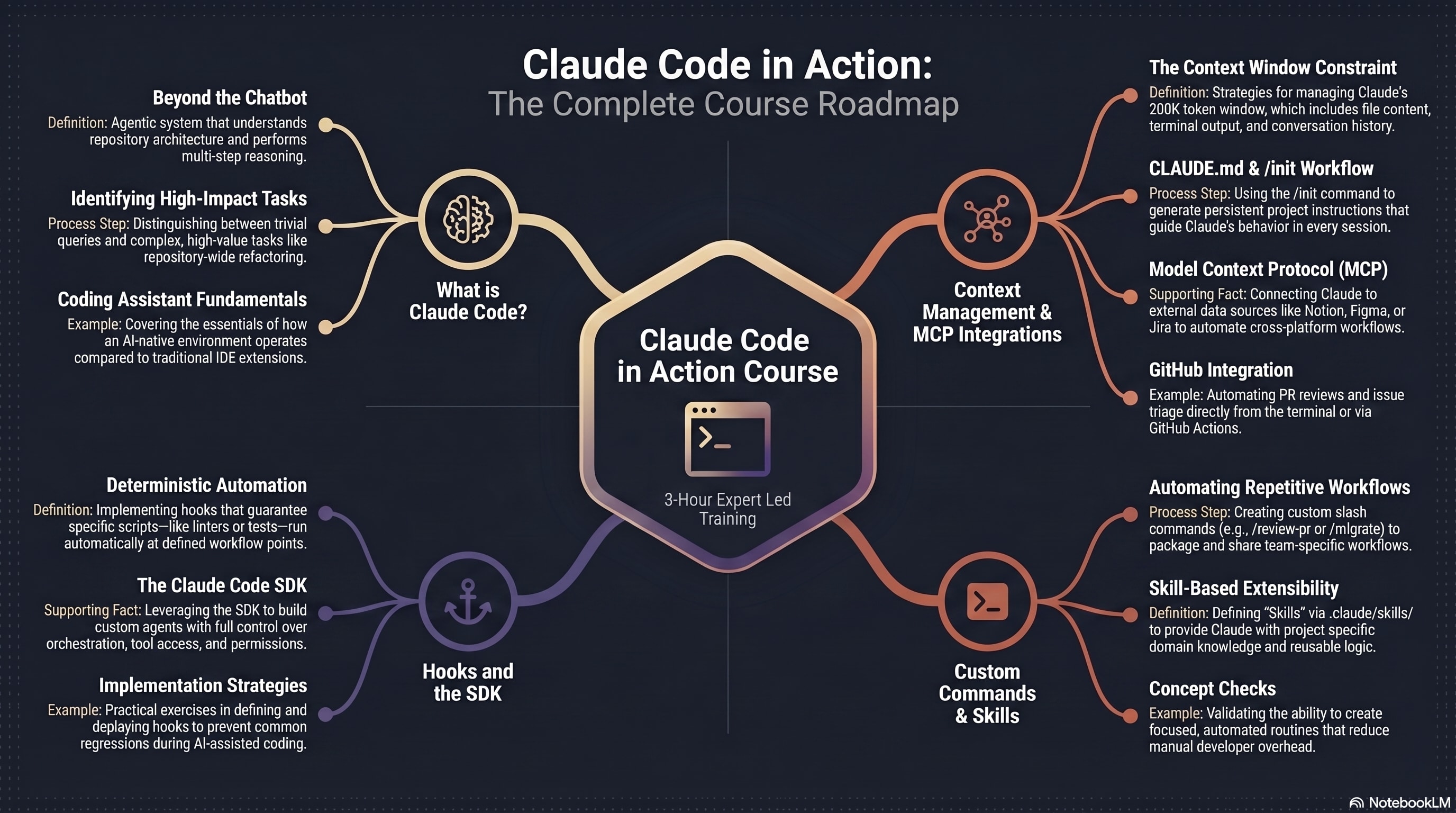
Master AI-Native Development: A Deep Dive into Claude Code
The landscape of AI coding is shifting from simple chat interfaces to agentic systems that live where you do: in the terminal. Anthropic’s Claude Code represents a massive leap forward for developers. If you’ve been looking for a structured way to master this tool, here is a comprehensive breakdown of the Claude Code in Action course roadmap.
1. What is Claude Code?
Before diving into the syntax, you need to understand the shift in philosophy. Claude Code isn’t just another autocomplete plugin; it’s an Agentic System.
- Beyond the Chatbot: It understands full repository architecture and performs multi-step reasoning. It doesn’t just suggest a line; it plans a refactor.
- Identifying High-Impact Tasks: Learn to distinguish between trivial queries (that you could do yourself) and complex, high-value tasks like repository-wide refactoring or debugging deep logic errors.
- Coding Assistant Fundamentals: This section covers how an AI-native environment operates compared to traditional IDE extensions, focusing on the speed and precision of terminal-based workflows.
2. Context Management & MCP Integrations
AI is only as good as the data it can see. Managing the "brain space" of the model is a core skill for any senior AI engineer.
- The Context Window Constraint: Claude has a massive 200K token window. You’ll learn strategies for managing this space, including balancing file content, terminal output, and conversation history.
- CLAUDE.md & /init Workflow: Use the
/initcommand to generate persistent project instructions. This ensures Claude understands your project’s specific style and rules in every single session. - Model Context Protocol (MCP): This is the game-changer. MCP allows you to connect Claude to external data sources like Notion, Figma, or Jira, automating cross-platform workflows directly from your code.
- GitHub Integration: Streamline your DevOps by automating PR reviews and issue triage without ever leaving your terminal.
3. Custom Commands & Skills
Efficiency is about reducing friction. Claude Code allows you to extend its native capabilities to fit your team’s specific needs.
- Automating Repetitive Workflows: Create custom slash commands (e.g.,
/review-pror/migrate) to package and share team-specific workflows. - Skill-Based Extensibility: Define "Skills" via
.claude/skills/. This provides Claude with project-specific domain knowledge and reusable logic, making the AI more specialized as your project grows. - Concept Checks: The course validates your progress by challenging you to create focused, automated routines that significantly reduce manual developer overhead.
4. Hooks and the SDK
For those who want total control, the SDK allows you to weave Claude directly into your development lifecycle.
- Deterministic Automation: Implement hooks that guarantee specific scripts—like linters or test suites—run automatically at defined workflow points.
- The Claude Code SDK: Go behind the CLI. Leverage the SDK to build custom agents with full control over orchestration, tool access, and permissions.
- Implementation Strategies: Through practical exercises, you will learn to define and deploy hooks that prevent common regressions, ensuring that AI-assisted coding remains high-quality and safe.
Summary: 3-Hour Expert Led Training
The Claude Code in Action course is a condensed, 3-hour power session designed to take you from a curious user to a power developer. By mastering context, automation, and the SDK, you move beyond "writing code with AI" to building systems with an AI partner.
Ready to dive in? Start by initializing your first project with
claude /initand see how the context changes your workflow!